• Free
  • No upload
  • No account

Online Word Editor — Edit DOCX Free, No Upload

Edit the attachment tonight — in the EditDocx browser editor

Open the EditDocx editor, drop your .docx or .xlsx, edit in the tab, download when done — free, no account, and the file never uploads to our servers.

  • Safe & privateNothing uploads
  • No accountOpen and edit
  • Cross-platformDesktop and mobile

Documents, spreadsheets, presentations, and filling a PDF

.docx

Word Documents
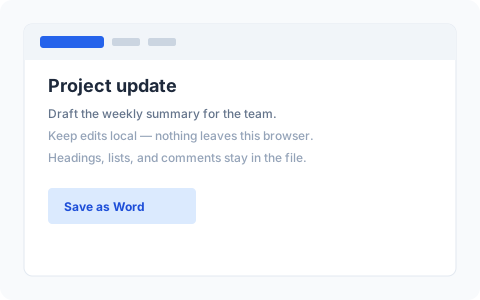
EditDocx Word editor with a DOCX document open

Open Microsoft Word files in a WYSIWYG browser editor. Format text, work with tables and images, review tracked changes, and export when done.

  • Rich text, styles, lists, and tables
  • Images, hyperlinks, and page layout
  • Tracked changes and comments
  • Ctrl/Cmd+S browser checkpoints

Export as DOCX or PDF

Edit DOCX
.xlsx

Excel Spreadsheets

Open Excel workbooks locally with multi-sheet tabs, cell editing, formulas, and basic formatting — no Excel install or Microsoft account.

  • Multiple sheets and cell editing
  • Formulas, merged cells, row and column sizing
  • Bold, colors, alignment, and number formats
  • Download .xlsx when finished

Export as XLSX

Edit XLSX
.pptx

PowerPoint Presentations

Open a .pptx in your browser. Fix a slide, change a title, move a shape — then download. No account. The deck stays on your device.

  • Edit text, shapes, and slides
  • Open from your computer — nothing uploaded
  • Recent decks stay in this browser only
  • Download the updated .pptx

Export as PPTX

Edit PPTX
.pdf

Fill and sign a PDF

You already have a PDF — a certificate, letterhead, or receipt. Type a name or date, add a signature or picture, and download. The file stays in this browser. You cannot rewrite the original paragraphs.

  • Text, pictures, and a signature on top of a PDF you already have
  • Start from a blank page or open a file from your computer
  • Save a layout to fill the same form again
  • Nothing is sent to EditDocx servers

Download a PDF

Fill a PDF

Why use EditDocx in the browser?

Browser-based DOCX editing

Open .docx files directly in your browser and edit with a WYSIWYG interface. Create new documents, import files via drag-and-drop, and download your changes as DOCX — no desktop app required.

Browser-based XLSX editing

Open Excel .xlsx spreadsheets in your browser with multi-sheet tabs, cell editing, formulas, merged cells, column widths and row heights, and basic formatting. Import via drag-and-drop or File → Import, then download .xlsx when finished. Charts, pivot tables, images, and password-protected workbooks are not supported. See the private browser editing guide and the Office Online / Google comparisons for intent-specific limits.

Rich text formatting and styles

Apply bold, italic, underline, text color, highlighting, fonts, and font sizes. Work with paragraph styles, alignment, line spacing, indentation, and multi-level bulleted and numbered lists — preserving the formatting your DOCX already uses.

Tables, images, and page layout

Insert and edit tables with merged cells, borders, and cell shading. Add images with text wrapping, manage headers and footers, page breaks, and watermarks, and insert hyperlinks, footnotes, and a table of contents. Find and replace text across the document.

Edit DOCX files directly in the EditDocx browser editor

WYSIWYG Word editing, spreadsheet tabs with formulas and formatting, drag-and-drop import, explicit browser checkpoints, PDF export, and dark mode — everyday DOCX and XLSX work without installing Office.

EditDocx browser editor interface showing a Word document being edited

When EditDocx fits — and when it does not

  • Fits: guest PC or library computer — no install rights, no personal cloud login.
  • Fits: contracts and NDAs — document bytes stay on your device while you edit.
  • Fits: budget or quote spreadsheet — tweak .xlsx locally without installing Excel. See [edit Excel online free](/use-cases/edit-excel-online-no-signup/).
  • Fits: Chromebook, school laptop, or Mac without Word — open .docx or .xlsx in the browser.
  • Does not fit: charts, SmartArt, OLE, macros, pivot tables, or password-protected Office files — use desktop Word or Excel.
  • How: open /editor/, drop a file, edit, download, then reopen the download before you send it. Ctrl/Cmd+S is a browser checkpoint, not a Downloads file.

Guides and comparisons

Common questions

View all FAQ

Are my files uploaded to a server?

No. Word, Excel, PowerPoint, and PDF work runs in your browser. Document bytes do not go to EditDocx servers or a third-party drive for editing. Optional recent files stay in this browser until you clear site data.

Do I need to create an account?

No. Editing stays open without signup. Optional Sign in with Google only stores a lightweight identity (email / name) for your session — it does not upload document content or unlock a required login wall.

Will my edited file open correctly in Microsoft Word?

For everyday documents — body text, styles, lists, common tables, images, light comments and tracked changes — usually yes. Always download and reopen in Word, WPS, or LibreOffice before you send it. Charts, SmartArt, OLE objects, macros, and fancy publisher templates are out of scope.

What is EditDocx?

A free browser editor at editdocx.net for Word (.docx), Excel (.xlsx), and PowerPoint (.pptx), plus a Fill a PDF tool. Open a file in your tab, edit on this device, download when you finish — no account and no upload of document content to EditDocx servers.

Is EditDocx free?

Yes. No subscription, no trial clock, no credit card.

What file formats can I open and download?

Open .docx, .xlsx, .pptx, and PDF (for fill/sign). Download edited Word as DOCX or PDF, spreadsheets as XLSX, decks as PPTX, and filled PDFs as PDF.

Ready to edit in the online Word editor?

Open EditDocx and start working on DOCX or XLSX files in seconds.

Open Editor — It's Free